
Duo Mobile
Cisco Systems, Inc.Business
4.16.32K Reviews
- Version
- 4.125.0
- Installs
- 50.00M
- Age Rating
- Everyone
Screenshots
Our Review of Duo Mobile
 Analysis by Appyee
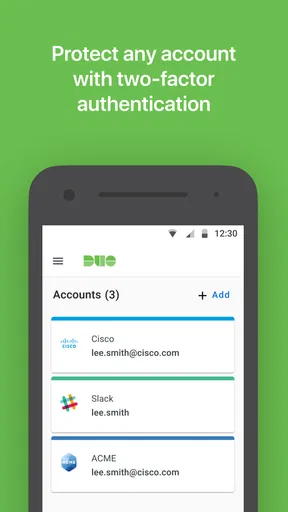
I have used Duo Mobile as the extra security step between a password and access to an account, and its appeal is easy to understand: it turns a phone into a practical second-factor tool without asking you to pay for the app. It is a business-focused app from Cisco Systems, Inc., but it can also make sense for personal accounts when the service you use supports Duo authentication.
The basic experience is deliberately quiet. You enroll an account, open the app when a sign-in request arrives, and approve or reject it. That simplicity is the main reason I would recommend it to someone who wants stronger account protection but does not want to carry a separate hardware token. It is not a password manager, a general privacy app, or a replacement for account recovery planning. Its job is narrower, and it does that job best when an organization has already configured Duo as part of its login system.
How Duo Mobile fits into everyday security
I find Duo Mobile easiest to judge by the moment it enters a login: it is a focused second step, not a place to manage every part of online security. In this section, I look at how that narrow role fits ordinary routines and why the account’s setup matters as much as the app itself.
A free app with a clear purpose
Duo Mobile is free, and its content rating is Everyone, so the app itself does not create a purchase decision. The important distinction is that free installation does not automatically mean every website or workplace account can use it. The service behind the login must support Duo or provide a compatible enrollment process. In practice, that makes the app valuable because of the accounts connected to it, not because it offers a large collection of independent tools.
I appreciate that separation. You are not buying a subscription inside the app simply to unlock the central authentication function. At the same time, I would not describe it as a universal free authenticator. If your bank, employer, school, or other service requires a different authentication method, installing Duo Mobile alone will not change that requirement.
The app has been available since May 3, 2011, and the current version is 4.120.0 with a minimum operating system requirement of 12. That matters when deciding whether an older phone can be used as your authentication device. On a supported phone, the setup feels modern enough for a utility app; on an older device that cannot meet the operating-system requirement, the practical issue is compatibility rather than price.
What the main workflow feels like
The usual flow starts outside the app. You sign in to a protected service with your username and password, then the service asks for a second step. Depending on the organization’s configuration, you may receive an approval request in Duo Mobile or use a generated passcode. I find this separation helpful because the app is not trying to become the place where I manage the entire account. It is a focused checkpoint.
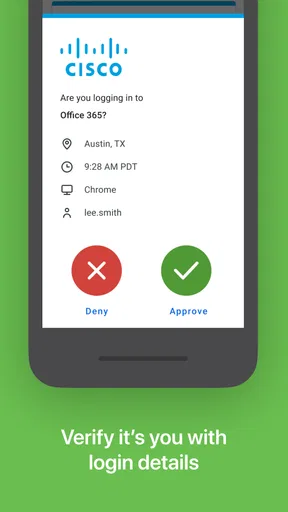
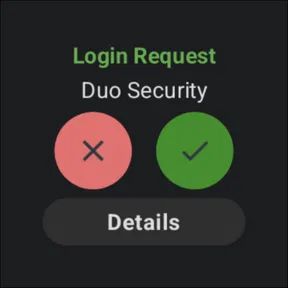
The approval screen deserves attention rather than an automatic tap. If a request appears while you are not signing in, rejecting it is the right response and may be an early warning that someone has your password. That habit is one of the most useful things to teach less technical family members or colleagues: an unexpected prompt is not an inconvenience to approve; it is a reason to stop and investigate.
A realistic example is a workday login from home. I enter my company credentials on a laptop, receive the second-factor request on the phone, check that I actually initiated the sign-in, and approve it. The process takes only a moment, but it blocks a person who knows the password and does not have the enrolled device. It is especially convenient when I move between office and home because the second step stays on the phone rather than on a desk-bound security key.
Small habits that make the app safer to use
My first practical tip is to keep the phone itself protected with a screen lock and to avoid treating Duo prompts as harmless notifications. The security benefit depends partly on control of the device. If anyone can casually access an unlocked phone, the second factor becomes less meaningful.
My second tip is to enroll carefully and keep recovery arrangements in mind before changing phones. Authentication apps are easy to appreciate when everything works and easy to regret when the old device is lost, wiped, or replaced. The exact recovery path is controlled by the service using Duo, so I would check the organization’s instructions before migrating rather than assuming that a normal phone backup will solve every enrollment problem.
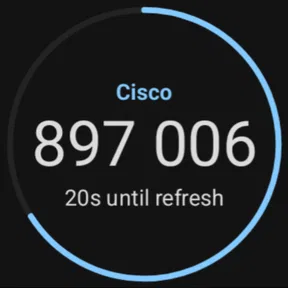
A third useful habit is to use passcodes when an approval notification is delayed, unavailable, or inappropriate for the situation. That gives the app a different role from a simple “yes” button. However, passcodes still require you to protect the phone and follow the account owner’s instructions. They are a fallback within the authentication process, not a reason to ignore suspicious activity.
Where its business focus helps
Duo Mobile makes the most sense in workplaces and other managed environments. A company can place an additional check in front of remote access or internal services, while employees use a familiar phone instead of carrying another device. For an individual user, the experience may feel almost invisible after enrollment, which is exactly what I want from a security step that appears during many ordinary logins.
The business orientation also explains why the app can feel less useful when approached casually. A person looking for a broad account-security dashboard may expect password storage, breach monitoring, backup controls, or a large collection of independent settings. Duo Mobile is not built around those expectations. Its strength is being the mobile companion to a Duo-protected sign-in process.
How it compares with familiar alternatives
Compared with a standard time-based authenticator, Duo Mobile can feel more direct when the organization supports push approval. A code-based app asks you to switch screens, read a changing number, and type it into the login page. Push approval can remove that copying step, which is useful on a busy day or when signing in from a phone with a small display. The trade-off is that a push request can encourage careless approval if you do not pause to verify it.
Compared with SMS codes, Duo Mobile avoids depending entirely on a text message arriving at the right time. That can be more convenient in places with weak mobile service, although the phone still needs to be available and usable. SMS may remain the only option for some services, so the better choice is determined by what the account supports rather than by personal preference alone.
Compared with a hardware security key, the phone is easier for many people to carry and already part of their daily routine. A key can be a better fit for someone who wants a dedicated physical credential and is comfortable maintaining it. Duo Mobile is more approachable, but the phone introduces its own risks: battery level, device loss, replacement, and the possibility of approving a request without checking it.
Compared with a password manager, Duo Mobile solves a different problem. A password manager helps create and store unique passwords; Duo adds a second verification step after the password. I would not choose one instead of the other. For a strong overall setup, they can complement each other when the account and organization support both.
The friction I noticed
The biggest limitation is dependency. Duo Mobile cannot decide on its own to protect an arbitrary account. Enrollment has to be enabled by the service, and the quality of the experience depends on how that service has configured authentication. If your employer gives you a specific setup guide, follow it closely; improvising during enrollment is a poor time to discover that you need an administrator or recovery method.
There is also the everyday inconvenience of making the phone part of the login chain. A dead battery, a misplaced device, a blocked notification, or a phone upgrade can interrupt access. I would not use the app as my only plan without knowing how the relevant account handles lost-device recovery. This is not a criticism unique to Duo, but it is an important trade-off that is easy to overlook when the normal approval takes only seconds.
Push authentication has a human weakness as well. Repeated unexpected prompts can lead to approval fatigue, where someone accepts a request simply to make the notifications stop. The correct response is to reject an unfamiliar request and contact the account administrator or service. If the people using the app are not taught that behavior, the convenience of push can work against them.
The minimum operating-system requirement can also rule out older phones. For someone keeping an aging device specifically as a backup authentication phone, that requirement should be checked before relying on it. A free app is not useful if the intended device cannot install or run the current release.
Who will get the most value
I would recommend Duo Mobile first to employees, students, contractors, and customers whose organization already uses Duo. In that situation, the app gives the phone a clear role and removes much of the guesswork. It is also a sensible choice for someone who prefers approval prompts to manually entering codes, provided they are willing to inspect each request.
It can be a good fit for families helping a less technical relative secure a supported account. The visible approve-or-reject decision is easier to explain than copying a changing code, although the family member still needs to understand that unexpected prompts must be rejected. The app is also useful for people who travel between locations where SMS delivery is inconsistent, assuming their configured authentication options include a suitable alternative.
I would tell someone to skip it, or at least not install it as their main security plan, if none of their important services supports Duo. In that case, a broadly compatible authenticator may deliver more immediate value. I would also suggest considering a hardware key or another method for a person who wants a dedicated credential rather than relying on a personal phone.
Businesses should judge it differently from individual users. The app can be a convenient employee-facing component, but the overall result depends on enrollment, administration, recovery procedures, and user training. Installing it is not the same as designing a complete security program. The strongest benefit appears when the organization explains what prompts look like, how lost phones are handled, and where users should report suspicious requests.
What the public reception suggests
Duo Mobile has an average rating of 4.2 from around 87 thousand ratings, with roughly 6.3 thousand written reviews and over 50 million installs. Those figures suggest that it is not a niche experiment; many people rely on it for routine authentication. I still would not treat popularity as proof that it will suit every account, because compatibility and enrollment remain the deciding factors.
The developer is Cisco Systems, Inc., and the app’s long presence in the business-security space gives it a more focused identity than many general-purpose authentication tools. That focus is reassuring when a workplace has selected Duo deliberately. It is less compelling when a user simply wants one app that works everywhere.
My value judgment
Because the app is free, the value question is mainly about convenience, compatibility, and the cost of relying on a phone during important sign-ins. For an account already protected by Duo, I think the value is strong: the app adds a meaningful barrier without asking the user to purchase another device or pay an app fee. The time saved by push approval is modest per login but noticeable across a busy workweek.
That value drops sharply when the app is installed without a supported account. There is no benefit in collecting authentication apps just because they are free. I would start with the services I actually need to protect, check which second-factor methods they support, and then choose the tool that fits those requirements.
My final recommendation is straightforward: use Duo Mobile when an organization or service directs you to it, and take its approval prompts seriously. I like its focused workflow, free access, and practical alternative to SMS or manual code entry. I would not present it as a complete security solution, and I would not choose it over a more compatible authenticator or a hardware key when those better match the account or the user’s habits.
For the right setup, it is a low-friction security companion that quietly improves the login process. For the wrong setup, it is simply another app waiting for an enrollment that may never happen. Install it when Duo is part of the account you need to protect, prepare a recovery plan before changing phones, and never approve a request you did not start.
Privacy and Permissions
See what permissions an app requests and how it handles your data.
- Location
- approximate location (network-based), precise location (GPS and network-based)
- Camera
- take pictures and videos
- Microphone
- record audio
- Other
- view network connections, full network access, run at startup, control vibration, prevent device from sleeping
Verdict
Strengths of Duo Mobile
- Fast push approvals make two-factor authentication convenient.
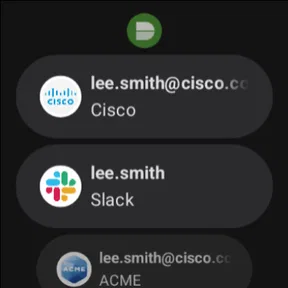
- Supports multiple accounts from different services in one app.
- Works with time-based one-time passwords when push is unavailable.
- Encrypted backups help restore accounts after changing devices.
- Clean interface is easy for beginners to understand.
Limitations of Duo Mobile
- Some features depend on an organization’s Duo security settings.
- Account recovery can be difficult if the old phone is unavailable.
- Push notifications may be delayed by poor connectivity or battery limits.
- Advanced options may feel confusing for users managing many accounts.
- Requires extra setup steps when transferring tokens to a new device.
Other Releases by Cisco Systems, Inc.
View All

Similar Picks in This Category
View All
LinkedIn: Community & Network
LinkedIn3.8

Zoom Workplace
zoom.com4.1

Microsoft Teams
Microsoft Corporation4.6

Meta Business Suite
Meta Platforms, Inc.4.6

Webex Meetings
Cisco Systems, Inc.4.5

TeamViewer Remote Control
TeamViewer4.4
Frequently Asked Questions
What is Duo Mobile and what is it used for?
Duo Mobile is a security app used for two-factor authentication, also known as 2FA or multi-factor authentication. After you enter your password on a supported website, service, or workplace system, Duo Mobile can confirm your identity through a push notification, passcode, or other approved method. It is commonly used for business accounts, school portals, VPNs, email, and cloud services.
Does Duo Mobile work without an internet connection?
Duo Mobile can still be useful when your phone has no mobile data or Wi-Fi, depending on how the organization has configured authentication. The app may generate temporary passcodes that can be entered manually. However, push notifications require an internet connection, and some authentication methods may not be available offline. It is best to set up a backup option before traveling or losing network access.
How do I set up Duo Mobile on a new phone?
Setting up Duo Mobile on a new phone usually requires reactivating the account with your employer, school, or service provider. In many cases, you can use an activation link or QR code supplied by the organization. Simply installing the app and entering your old passcode may not be enough. If your previous phone is unavailable, contact the relevant administrator for account recovery.
Does Duo Mobile collect or access my personal information?
Duo Mobile is designed primarily to approve authentication requests and generate security passcodes, not to read your personal messages, photos, or files. The exact information processed can depend on the configuration of the organization using Duo. Push requests may display details such as the application or approximate location. Review your organization’s privacy policy and the app’s permissions before completing setup.
What should I do if I receive a Duo login request that I did not start?
Do not approve an unexpected Duo authentication request. It may indicate that someone knows your password and is attempting to access your account. Reject the request and report it to your organization’s IT or security team. If available, mark it as fraudulent in the app, change your password using a trusted device, and check whether any other account activity appears suspicious.
